The video below is the exact model of one I have.˙ I am worried about overheating in the summer as this is out in my garage.˙ At the 9:05 mark
the vid talks about adding a second fan, an exhaust fan.˙ There does
seem to be the power hookup on the board right there.˙ Am I correct that just having the fan on the processor now and adding this exhaust fan
should really help keeping the temps down on this machine?
<https://www.youtube.com/watch?v=N82dHQJ8TXg>
Any remarks appreciated!
On 5/31/2026 7:07 PM, sticks wrote:
The video below is the exact model of one I have.˙ I am worried about overheating in the summer as this is out in my garage.˙ At the 9:05 mark the vid talks about adding a second fan, an exhaust fan.˙ There does seem to be the power hookup on the board right there.˙ Am I correct that just having the fan on the processor now and adding this exhaust fan should really help keeping the temps down on this machine?
<https://www.youtube.com/watch?v=N82dHQJ8TXg>
Any remarks appreciated!
I want to add one thing.˙ The reason I am looking into this again is because I've been monitoring the temps with Core Temp, and even though it is still not as hot outside as it will get this summer, I have noticed the temps higher than during the winter in the heated garage. Where it used to idle at about 90-95F, it now runs at about 105-110F, and if I idle for a little when I come back I've seen it as high as the low 130's.˙ I am guessing this is because the fan on the processor isn't running as high since the processor is not working hard?˙ I go back to using it and it drops back down, which would seem counterintuitive. Anyway, I need to see if I can get these temps down a bit.
On Sun, 5/31/2026 9:31 PM, sticks wrote:
On 5/31/2026 7:07 PM, sticks wrote:
The video below is the exact model of one I have.˙ I am worried about overheating in the summer as this is out in my garage.˙ At the 9:05 mark the vid talks about adding a second fan, an exhaust fan.˙ There does seem to be the power hookup on the board right there.˙ Am I correct that just having the fan on the processor now and adding this exhaust fan should really help keeping the temps down on this machine?
<https://www.youtube.com/watch?v=N82dHQJ8TXg>
Any remarks appreciated!
I want to add one thing.˙ The reason I am looking into this again is because I've been monitoring the temps with Core Temp, and even though it is still not as hot outside as it will get this summer, I have noticed the temps higher than during the winter in the heated garage. Where it used to idle at about 90-95F, it now runs at about 105-110F, and if I idle for a little when I come back I've seen it as high as the low 130's.˙ I am guessing this is because the fan on the processor isn't running as high since the processor is not working hard?˙ I go back to using it and it drops back down, which would seem counterintuitive. Anyway, I need to see if I can get these temps down a bit.
I recognize the aluminum heatsink as a 65W one. The processor is 6 P cores and 4 E cores.
It has a 13 TOPS NPU on it, which is not the 50 TOPS that Microsoft is looking for,
but any NPU is better than nothing. You should have an extra section in Task Manager,
a GPU performance graph and near that should be one for the NPU.
https://www.intel.com/content/www/us/en/products/sku/241070/intel-core-ultra-5-processor-225-20m-cache-up-to-4-90-ghz/specifications.html
Processor Base Power 65 W
Maximum Turbo Power 121 W
Like a lot of OEM computers, the cooling solution is a disgrace :-/
As you note, the exhaust fan location on the back, is not populated
but there is a fan header. The problem I see, is I am not locating
the "square hole pattern" for an industry standard square fan! You'll
have to check this for me, and see if one of the three hole patterns,
the holes happen to be a subset of the four holes on a case cooling fan.
The airflow may start at the top of the CPU, flow through the fins,
then the cowling redirects the air from the bottom of the heatsink,
towards the exhaust vent. That is a right-angle turn.
The front cooling vent, the fake woodgrain panel on the front seems
to block air movement there. Perhaps there is some secret ventilation path that makes the vent a usable one. The available pictures do not allow
me to figure this out.
You could cut a circle in the sliding side panel, and fit an external
intake fan and "pressurize the case". Remove the cowling for the rear
hole, so that the air will be in a rush to escape when pressurized by the side
intake, Instead of ruining the side panel, you may be able to
make a metal plate to take its place, and mount your external
square fan on the metal plate.
You can cut away the cheese grater ventilation covers, and
go with something that allows more airflow. On my large (EATX) case
computer, I stared longingly at my nibbling tool and the cheese
grater vent, trying to figure out a way to cut the vent out of the
way and increase room for airflow.
A larger fan, with lower RPMs, helps with noise. When a machine is
a bit smaller like that, any provided fans have to run at higher RPMs
because their diameter isn't all that great.
The way I see it, you have next to no airflow as it is, and unless you
can find a way to pressurize the case (the side area may be sufficient
for a large fan), messing with the tiny fan holes will likely leave
a bit of a noisy situation.
Now, you'll have to get out your metric "ruler", and see if
any hole pattern is there for 60mm, 80mm, 92mm, 120mm, 140mm and so on
in the series of standard fans. There are a few other sizes which are not common. The 40mm ones are virtually useless... unless they run at 6000RPM
and are 1" thick or thicker.
When I pressurized my EATX case, I was dismayed to find that the PSU did not pass a lot of air from inside the case and through the vent in the back.
The PSU was quite resistant to being helped (the PSU sits in the bottom
of the case, and the intake on the PSU is down low). That machine has three intakes on
the roof of the case, a large fan on the front of the case as an
intake, and a number of other vents are taped off to encourage
the air to leave only via back-vents.
So part of your problem then, is the air is stale inside the case,
the case air is heating up, and there is no movement to bring it
back down to about 35C or so.
While you could change the computer case, all those holes for I/O would be
a pain in the ass to create to finish the job. It would be an endless nightmare,
to change cases. I like the idea a bit better, of replacing the side plate, with your own side plate, with an intake fan mounted on the outside of it.
My daily driver used to have an external intake, the fan being mounted on pieces of aluminum angle iron. I've since removed that when the latest motherboard was fitted to the case.
On 5/31/2026 10:19 PM, Paul wrote:
On Sun, 5/31/2026 9:31 PM, sticks wrote:
On 5/31/2026 7:07 PM, sticks wrote:
The video below is the exact model of one I have.˙ I am worried about overheating in the summer as this is out in my garage.˙ At the 9:05 mark the vid talks about adding a second fan, an exhaust fan.˙ There does seem to be the power hookup on the board right there.˙ Am I correct that just having the fan on the processor now and adding this exhaust fan should really help keeping the temps down on this machine?
<https://www.youtube.com/watch?v=N82dHQJ8TXg>
Any remarks appreciated!
I want to add one thing.˙ The reason I am looking into this again is because I've been monitoring the temps with Core Temp, and even though it is still not as hot outside as it will get this summer, I have noticed the temps higher than during the winter in the heated garage. Where it used to idle at about 90-95F, it now runs at about 105-110F, and if I idle for a little when I come back I've seen it as high as the low 130's.˙ I am guessing this is because the fan on the processor isn't running as high since the processor is not working hard?˙ I go back to using it and it drops back down, which would seem counterintuitive. Anyway, I need to see if I can get these temps down a bit.
I recognize the aluminum heatsink as a 65W one. The processor is 6 P cores and 4 E cores.
It has a 13 TOPS NPU on it, which is not the 50 TOPS that Microsoft is looking for,
but any NPU is better than nothing. You should have an extra section in Task Manager,
a GPU performance graph and near that should be one for the NPU.
https://www.intel.com/content/www/us/en/products/sku/241070/intel-core-ultra-5-processor-225-20m-cache-up-to-4-90-ghz/specifications.html
Processor Base Power˙˙˙ 65 W
Maximum Turbo Power˙˙˙ 121 W
Like a lot of OEM computers, the cooling solution is a disgrace :-/
As you note, the exhaust fan location on the back, is not populated
but there is a fan header. The problem I see, is I am not locating
the "square hole pattern" for an industry standard square fan! You'll
have to check this for me, and see if one of the three hole patterns,
the holes happen to be a subset of the four holes on a case cooling fan.
The airflow may start at the top of the CPU, flow through the fins,
then the cowling redirects the air from the bottom of the heatsink,
towards the exhaust vent. That is a right-angle turn.
The front cooling vent, the fake woodgrain panel on the front seems
to block air movement there. Perhaps there is some secret ventilation path >> that makes the vent a usable one. The available pictures do not allow
me to figure this out.
You could cut a circle in the sliding side panel, and fit an external
intake fan and "pressurize the case". Remove the cowling for the rear
hole, so that the air will be in a rush to escape when pressurized by the side
intake, Instead of ruining the side panel, you may be able to
make a metal plate to take its place, and mount your external
square fan on the metal plate.
You can cut away the cheese grater ventilation covers, and
go with something that allows more airflow. On my large (EATX) case
computer, I stared longingly at my nibbling tool and the cheese
grater vent, trying to figure out a way to cut the vent out of the
way and increase room for airflow.
A larger fan, with lower RPMs, helps with noise. When a machine is
a bit smaller like that, any provided fans have to run at higher RPMs
because their diameter isn't all that great.
The way I see it, you have next to no airflow as it is, and unless you
can find a way to pressurize the case (the side area may be sufficient
for a large fan), messing with the tiny fan holes will likely leave
a bit of a noisy situation.
Now, you'll have to get out your metric "ruler", and see if
any hole pattern is there for 60mm, 80mm, 92mm, 120mm, 140mm and so on
in the series of standard fans. There are a few other sizes which are not
common. The 40mm ones are virtually useless... unless they run at 6000RPM
and are 1" thick or thicker.
When I pressurized my EATX case, I was dismayed to find that the PSU did not >> pass a lot of air from inside the case and through the vent in the back.
The PSU was quite resistant to being helped (the PSU sits in the bottom
of the case, and the intake on the PSU is down low). That machine has three intakes on
the roof of the case, a large fan on the front of the case as an
intake, and a number of other vents are taped off to encourage
the air to leave only via back-vents.
So part of your problem then, is the air is stale inside the case,
the case air is heating up, and there is no movement to bring it
back down to about 35C or so.
While you could change the computer case, all those holes for I/O would be >> a pain in the ass to create to finish the job. It would be an endless nightmare,
to change cases. I like the idea a bit better, of replacing the side plate, >> with your own side plate, with an intake fan mounted on the outside of it. >> My daily driver used to have an external intake, the fan being mounted on
pieces of aluminum angle iron. I've since removed that when the latest
motherboard was fitted to the case.
I had a Foxconn model PV902512L which runs at 0.16 A and has the 92x25 hole pattern.
<https://www.amazon.com/PV902512L-DC12V-0-16A-3-WIRE-92x25mm/dp/B00B877C50
I removed the two shrouds as the video shows and this fan did fit in this location perfectly and the power plug in was where it showed in the video.˙ Once I placed the fan in there, the shroud I took off that was either directing air to or away from the CPU didn't fit.˙ I could try and trim it a bit to get it back, but I am leaning to thinking it is not necessary now that there is a case exhaust fan installed, so I put the covers back on and fired it up.
Wow, what a difference that makes!˙ Where before it would spike up every time I asked it to do something, it just hovers now at 97F which is almost exactly that 35C you mentioned.˙ It is still very quiet, can't really hear either fan at all.
So, unless you have any words of wisdom, I'm gonna just monitor it for awhile and make sure it keeps working.˙ This fan is out of a 20 year old box so I probably should get a spare just in case it pukes.˙ Would the same thing be OK, or should I look for something that spins faster to get even more air flowing?
On Mon, 6/1/2026 4:15 PM, sticks wrote:
But at least at the moment, you've corrected the worst part
of what those idiots did. It should have had that fan in there.
On 6/1/2026 9:31 PM, Paul wrote:
On Mon, 6/1/2026 4:15 PM, sticks wrote:
---big snip---
But at least at the moment, you've corrected the worst part
of what those idiots did. It should have had that fan in there.
First, thanks for your valuable input, as always!
Well, I thought I had the problem all sorted out, and yes, adding the case fan does lower the operating temperature nicely.˙ However, I noticed the temps creeping back up again when the computer idled for a long time.˙ One time it was up to almost 150F.˙ I believe the manufacturers believe this is an acceptable temp for this Ultra 5, but I see no reason to have it running that hot if I could find a way around it.˙ So I began my search for why when left unattended it was doing this.
After many, many suggested fixes working with AI, nothing really worked. ˙Processor upper and lower powers, eliminating anything in device manager that had power options to turn off a device, anything on the bus that had power options was turned to not allow, and many other things I can't remember at the moment.
I decided to install Fan Control, and that again helped, but didn't solve the problem.˙ In the end, nothing mattered as the system after a period of inactivity assumed the system was idle and turned the fans off, amazingly.˙ I even gave it a special task in task manager that was supposed to override the windows attempts to slow things down.˙ Didn't work.˙ The case fan does not have a speed sensor evidently, but Fan Control does allow me to manually set it to run at different levels, and I have it set for 60% for these summer months in the garage.˙ Not sure if it is windows or HP, but neither cared and after an unknown exact time both fans continued shutting down no matter what I did.
What finally after two days appears to work, is a software mouse activity tool.˙ I installed Mouse Jiggler and for an hour and a half in 85F garage it stayed right at 100F with both fans continuing to work.˙ I set the time to jiggle at 49 seconds, after thinking it might even decide to save power after one minute, and it seems to work.˙ Defender did not block the app, but just to be safe I went ahead and whitelisted it.
Now, I'll just monitor it for a while and hope it all works.
On Wed, 6/3/2026 6:18 PM, sticks wrote:
On 6/1/2026 9:31 PM, Paul wrote:
On Mon, 6/1/2026 4:15 PM, sticks wrote:
---big snip---
But at least at the moment, you've corrected the worst part
of what those idiots did. It should have had that fan in there.
First, thanks for your valuable input, as always!
Well, I thought I had the problem all sorted out, and yes, adding the case fan does lower the operating temperature nicely.˙ However, I noticed the temps creeping back up again when the computer idled for a long time.˙ One time it was up to almost 150F.˙ I believe the manufacturers believe this is an acceptable temp for this Ultra 5, but I see no reason to have it running that hot if I could find a way around it.˙ So I began my search for why when left unattended it was doing this.
After many, many suggested fixes working with AI, nothing really worked. ˙Processor upper and lower powers, eliminating anything in device manager that had power options to turn off a device, anything on the bus that had power options was turned to not allow, and many other things I can't remember at the moment.
I decided to install Fan Control, and that again helped, but didn't solve the problem.˙ In the end, nothing mattered as the system after a period of inactivity assumed the system was idle and turned the fans off, amazingly.˙ I even gave it a special task in task manager that was supposed to override the windows attempts to slow things down.˙ Didn't work.˙ The case fan does not have a speed sensor evidently, but Fan Control does allow me to manually set it to run at different levels, and I have it set for 60% for these summer months in the garage.˙ Not sure if it is windows or HP, but neither cared and after an unknown exact time both fans continued shutting down no matter what I did.
What finally after two days appears to work, is a software mouse activity tool.˙ I installed Mouse Jiggler and for an hour and a half in 85F garage it stayed right at 100F with both fans continuing to work.˙ I set the time to jiggle at 49 seconds, after thinking it might even decide to save power after one minute, and it seems to work.˙ Defender did not block the app, but just to be safe I went ahead and whitelisted it.
Now, I'll just monitor it for a while and hope it all works.
When equipment does this, you bypass the header.
You will need a 4 pin Molex to 3 pin fan header, and you can plug
the fan into that fan header. That would run the fan at 100%.
# It has two pins in the three pin fan header shroud. The shroud
# is there to provide a bit of protection from a "male" connector
# shorting to the computer case if it comes loose. Male connectors
# are also available without a shroud, and then there is more danger.
# This would not accept a four pin PWM fan... but a three pin fan is fine.
https://www.akyga.com/upl/app/products/images2/big-webp/bd1f8e8458f24c10cf6677d0c20201b9.webp.jpg
And without any electrical mods, you can locate a "stealth" 92mm fan,
which will have say 1200RPM at 12V and then the noise level of that
will not be irritating, and you can leave it running like that
as a case-emptying fan. Such a fan might say "12V @ 0.1 amps" on the hub.
The BIOS logic in this case, is likely monitoring for 60C and
it shuts off the fans until the temp is above 60C. My video card
does this. Most of the time, the video card is about 35C and it
doesn't even need the fan (only Furmark causes the fan to come on).
And yes, I've even bypassed the +5V on a video card fan
to cause it to run continuously. I just haven't done it to
this (newer) video card.
I generally like airflow... for all the materials in the
PC where the temperature is not monitored.
As an example, one Asus motherboard had a tiny 8 pin regulator,
which ran at 100C all the time. Someone detected this with a
thermal scan of the motherboard, that it had a "hot item" onboard.
While the device can likely tolerate this, it's still
not a good look. And for such cases, a person could buy
a RAMSink and the Arctic Silver two component thermal epoxy
to mount it. Or a RAMSink with thermal tape on it. The thermal
epoxy is non-removable -- you can mix the AS Epoxy with a third
substance to "weaken it" and make it possible to remove it.
You can likely spend a bit more time, considering your options
for a fan. Giving the fan an "assured" power source, will keep
the BIOS from switching it off. And then you won't need the mouse jiggler.
I will keep this in mind as I move forward.˙ I am fine with using the
system like this, but there are two things I am not happy with.
First, when I put the desktop to sleep, the jiggler wakes it up 49 seconds later.
So before I can put it to sleep I have to tell it to stop jiggling.˙
No big deal, but an annoying step.˙ I suppose I could find a simpler way
to do this, and I might end up doing that.
Second, this morning when I woke the thing it told me "Smart App Control blocked
a file that may be unsafe."˙ So whitelisting it in defender might keep that from
being a problem, but it is separate from the smart app control, and you can't whitelist
individual apps in there, you can only give them temporary single use permission.˙
So I did turn off the control entirely.
On Thu, 6/4/2026 10:23 AM, sticks wrote:
I will keep this in mind as I move forward.˙ I am fine with using the
system like this, but there are two things I am not happy with.
First, when I put the desktop to sleep, the jiggler wakes it up 49 seconds later.
So before I can put it to sleep I have to tell it to stop jiggling.
No big deal, but an annoying step.˙ I suppose I could find a simpler way
to do this, and I might end up doing that.
Second, this morning when I woke the thing it told me "Smart App Control blocked
a file that may be unsafe."˙ So whitelisting it in defender might keep that from
being a problem, but it is separate from the smart app control, and you can't whitelist
individual apps in there, you can only give them temporary single use permission.
So I did turn off the control entirely.
Reputation based Defender activity, is mostly useless. What Defender is doing,
is checking how many people have installed that App (and its SHA256 hash), and the Reputation improves as more people use it. This is not "a malware detection",
which should stop the thing dead. In fact, a malware detection is likely
to have a working Exception scheme, whereas the Reputation one is unlikely
to work. The logic is the exact opposite of what you would expect.
OEM boxes have opaque fan control. The one refurb I own, Optiplex 780,
has that problem. Doesn't run the fan fast enough, to keep the
temperature down. No page in the BIOS with a fan control.
While there is Speedfan (now out of support), it is unlikely to
work on newer SuperIO chips. I have a couple motherboards here,
where not even Linux can control the fans (Sensors does not have
support for the SuperIO). As a result, I do not assume any more,
that there is a working Ring 3 fan control. The BIOS on the
enthusiast boards, usually has some option for fan control.
While Asus provides AI Suite hardware utility (which involves
no AI and was named that way inadvertently years ago), the
Defender "war on drivers" is likely to prevent you from using
it. Even though, I thought at one time, it used an ACPI object
so a Ring 0 driver access would not be needed. It's possible
that is an "exploitable driver installer" issue rather than
a GiveIO.sys type issue.
For me, wiring up a fixed speed solution, can solve some
number of problems. Two of three computers in the room here,
have fixed speed bodges in them. And I don't have to think
about those particular fans any more. Whereas with the BIOS control,
if I have to flash up the BIOS for some UEFI issue, I have
to re-program the fans after the BIOS resets everything. And
that's not as easy as it sounds. I could "store a profile" in
the BIOS to correct that, but there is no guarantee a profile
can be reused, after the BIOS is updated.
In fact, the other day, I had to make myself a drawing
of how the fans are wired in the machine across from me,
as every time it does something annoying, I can't remember
which wire or function controls it. Now I have the drawing
to look at, before I walk over there. The computer case
comes with a "fan manifold" PCB, the CPU fan header goes
into the board, and six headers come out of the board.
And then you have to remember which fans are running off
CPU-sensitive control and which fans run off a separate
header. And the drawing helps with that. If I re-do the fans,
then the drawing will get updated.
On 6/4/2026 12:26 PM, Paul wrote:
On Thu, 6/4/2026 10:23 AM, sticks wrote:
In fact, the other day, I had to make myself a drawing
of how the fans are wired in the machine across from me,
as every time it does something annoying, I can't remember
which wire or function controls it. Now I have the drawing
to look at, before I walk over there. The computer case
comes with a "fan manifold" PCB, the CPU fan header goes
into the board, and six headers come out of the board.
And then you have to remember which fans are running off
CPU-sensitive control and which fans run off a separate
header. And the drawing helps with that. If I re-do the fans,
then the drawing will get updated.
It really is a little sad that they've made it this difficult to control
the temperature of your systems.˙ I'm sure I'm not the only one who has
a box in an area without summer climate control where it is gonna get
hot and humid.˙ For now, the combination of FanControl and Mouse Jiggler
is working nicely and I'm going to leave it alone and continue monitoring.
On 2026-06-06 17:38, sticks wrote:
On 6/4/2026 12:26 PM, Paul wrote:
On Thu, 6/4/2026 10:23 AM, sticks wrote:
In fact, the other day, I had to make myself a drawing
of how the fans are wired in the machine across from me,
as every time it does something annoying, I can't remember
which wire or function controls it. Now I have the drawing
to look at, before I walk over there. The computer case
comes with a "fan manifold" PCB, the CPU fan header goes
into the board, and six headers come out of the board.
And then you have to remember which fans are running off
CPU-sensitive control and which fans run off a separate
header. And the drawing helps with that. If I re-do the fans,
then the drawing will get updated.
It really is a little sad that they've made it this difficult to control the temperature of your systems.˙ I'm sure I'm not the only one who has a box in an area without summer climate control where it is gonna get hot and humid.˙ For now, the combination of FanControl and Mouse Jiggler is working nicely and I'm going to leave it alone and continue monitoring.
The only way to run computers in a humid place for a˙ long time, is to seal the computers or use AC.
On Sat, 6/6/2026 1:19 PM, Carlos E.R. wrote:
On 2026-06-06 17:38, sticks wrote:
On 6/4/2026 12:26 PM, Paul wrote:
On Thu, 6/4/2026 10:23 AM, sticks wrote:
In fact, the other day, I had to make myself a drawing
of how the fans are wired in the machine across from me,
as every time it does something annoying, I can't remember
which wire or function controls it. Now I have the drawing
to look at, before I walk over there. The computer case
comes with a "fan manifold" PCB, the CPU fan header goes
into the board, and six headers come out of the board.
And then you have to remember which fans are running off
CPU-sensitive control and which fans run off a separate
header. And the drawing helps with that. If I re-do the fans,
then the drawing will get updated.
It really is a little sad that they've made it this difficult to control the temperature of your systems.˙ I'm sure I'm not the only one who has a box in an area without summer climate control where it is gonna get hot and humid.˙ For now, the combination of FanControl and Mouse Jiggler is working nicely and I'm going to leave it alone and continue monitoring.
The only way to run computers in a humid place for a˙ long time, is to seal the computers or use AC.
You can buy computers that are hardened, with the
expectation of an exotic working environment.
Some HP machines, have had a 50C ambient spec, and
having spec in hand, we placed a HP machine in our
walk-in thermal chamber. Some of the other test
equipment in that chamber was rated for 50C as well.
And then we would run the whole shebang up to 50C,
including the DUT, and the HP computer worked just
fine under those conditions. That was not a "humidity
test run" because we didn't want to die in the chamber.
Using test chambers, you can absolutely destroy equipment,
but then you're violating the "95% humidity, non-condensing"
limitation, and allowing liquid to condense on the surface
of the DUT. A rugged computer would stop that
moist air from getting to the PCB.
Using heat pipes, you can seal a device up, and
still have a conduction path for the heat. Zalman made
a couple computer cases, one costing $1000, and there
were heat pipes in there compatible with various
graphics card designs. And the heat would flow to
heatsink fins on the outside of the "box". This was
intended for applications such as recording studios.
There may still be a need to swirl a bit of air around
the internal parts of the cabinet, to prevent hot spots
(on things not having heatpipes fitted). While the box
may have had a 400W ATX supply in it at the time (fanless),
it wasn't really a good idea with that kit, to push it that
hard. And that would not be suitable for 95% humidity,
as it may not be sealed well enough to separate the
inside from the outside.
Circuits have been "potted" in the past. The Ethernet
transceivers we used to use, those were potted and quite heavy.
If you were wearing sneakers and dropped one of those
on your foot, that would sting. Whether that kept the
environment totally at bay, is hard to say. To do that today,
would likely cost a lot more than it cost back in the
potting era.
At one time, integrated circuits shipped in hermetically
sealed packages, with a glass frit seal between the two
halves. And then at some point, they used plastic instead
and nobody gave a damn any more about the environmental part
of it. The ceramic ICs were "MIL spec" and worked from -55C
to 125C, and things like moisture should not be getting
through the ceramic. That kind of packaging was quite popular
on the ECL logic boards we made -- when you used an oscilloscope
on such boards, you would lay your hand on a hundred ECL chips
running at 55-60C, and that takes, um, "discipline" to do.
You get a bit used to it, after a while [he said, wincing a bit].
ECL just loves the heat, and really, it's not happy until
it is quite warm. If you have a cooling failure on some
of these designs, you may have to wait ten minutes for the
thing to be cool enough to take apart. The chips in that
case, were still running in mission mode just fine and
they were not complaining.
CMOS, which is what your computer is filled with, does not
like the heat, and the logic runs slower the hotter it gets.
The guy at the fab told me that for our CMOS process,
above 130C die temperature, there could be parametric
shift after 100,000 hours, and that's one of the
definitions of lifetime. And you can see in that case,
where a MIL spec figure would come from. When you push
ICs to 300C, they last around 1000 hours, for borehole
microcontrollers. Let us hope the garage isn't 300C.
:-)
When Personal Computers boom started, some navy chap here though of buying one
for the submarine he worked at. So he bought I think it was, an Amstrad 1512 PC
from a shop, with a warranty. The computer run fine, till they put out to sea.
So they had the computer replaced.
And it broke down again.
Then the shop owner asked where exactly are you using it? They told him, in a navy submarine. The shop removed the warranty instantly.
The vibrations from the diesel were killing the hard disk, way faster than temperatures or humidity :-D
On Sun, 6/7/2026 8:55 AM, Carlos E.R. wrote:
:-)
When Personal Computers boom started, some navy chap here though of buying one
for the submarine he worked at. So he bought I think it was, an Amstrad 1512 PC
from a shop, with a warranty. The computer run fine, till they put out to sea.
So they had the computer replaced.
And it broke down again.
Then the shop owner asked where exactly are you using it? They told him, in a navy submarine. The shop removed the warranty instantly.
The vibrations from the diesel were killing the hard disk, way faster than temperatures or humidity :-D
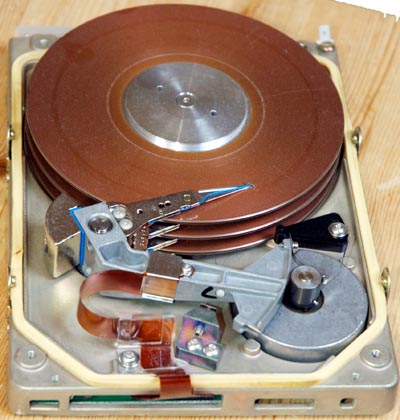
They look a lot like hard drives, but apparently
the arm isn't as rigid as a modern arm. And the air pressure
under the head might be different as well (as a cushion).
http://www.binarydevotion.com/wp-content/uploads/2011/02/ST251.jpg
It's too bad there wasn't NAND flash back then.
I wonder if floppy diskettes would have been a good option for a submarine ?
They could have used a machine with "dual floppy", as that is a handy
setup for making backups. The "single floppy" computers were a pain in
the ass, to clone a floppy. The RAM on the computer is not big enough to
hold the floppy contents, and copying an entire floppy required flipping
in disc 1 and disc 2, over and over again, until the transfer was finished. When a machine had two floppy drives, it "was like Heaven" :-)
Indeed. I realized that before purchasing, so my first machine had two 360K floppies :-)
No hard disk. Some friend had a 10 MB HD and complained it was over full.
I could not understand how he could fill that lot of disk space.
I wonder why those people wanted a computer in the submarine. Was it for job things, or for playing? :-)
I'll never know.
Indeed. I realized that before purchasing, so my first machine had two 360K floppies :-)
No hard disk. Some friend had a 10 MB HD and complained it was over full. I could not understand how he could fill that lot of disk space.
I wonder why those people wanted a computer in the submarine. Was it for job things, or for playing? :-)
I'll never know.
It really is a little sad that they've made it this difficult to control
the temperature of your systems.˙ I'm sure I'm not the only one who has
a box in an area without summer climate control where it is gonna get
hot and humid.˙ For now, the combination of FanControl and Mouse Jiggler
is working nicely and I'm going to leave it alone and continue monitoring.
| Sysop: | Tetrazocine |
|---|---|
| Location: | Melbourne, VIC, Australia |
| Users: | 8 |
| Nodes: | 8 (0 / 8) |
| Uptime: | 240:48:53 |
| Calls: | 220 |
| Files: | 21,513 |
| Messages: | 85,451 |